
Attendance & Live Map
Know who's on site, without calling anyone.
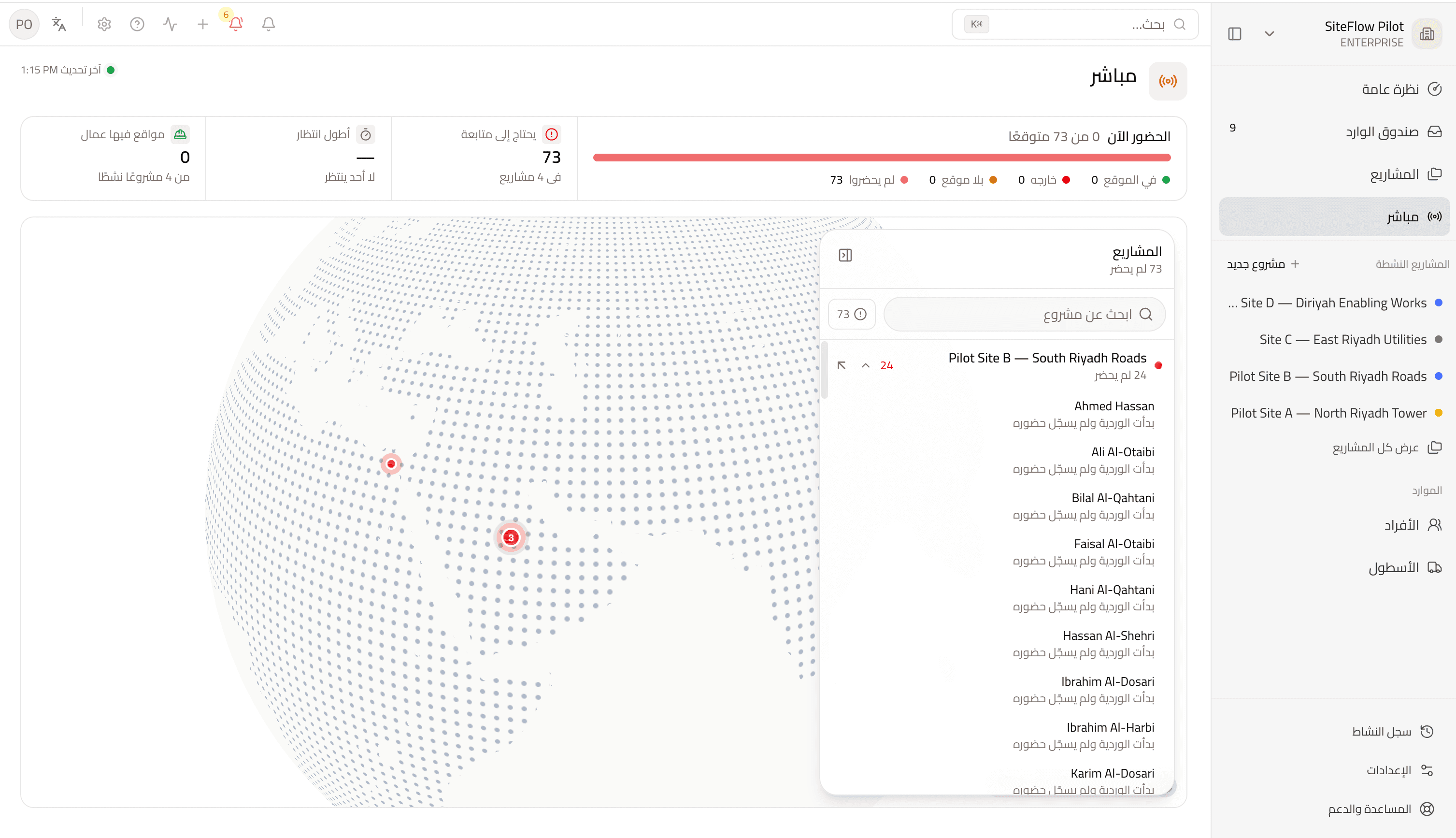
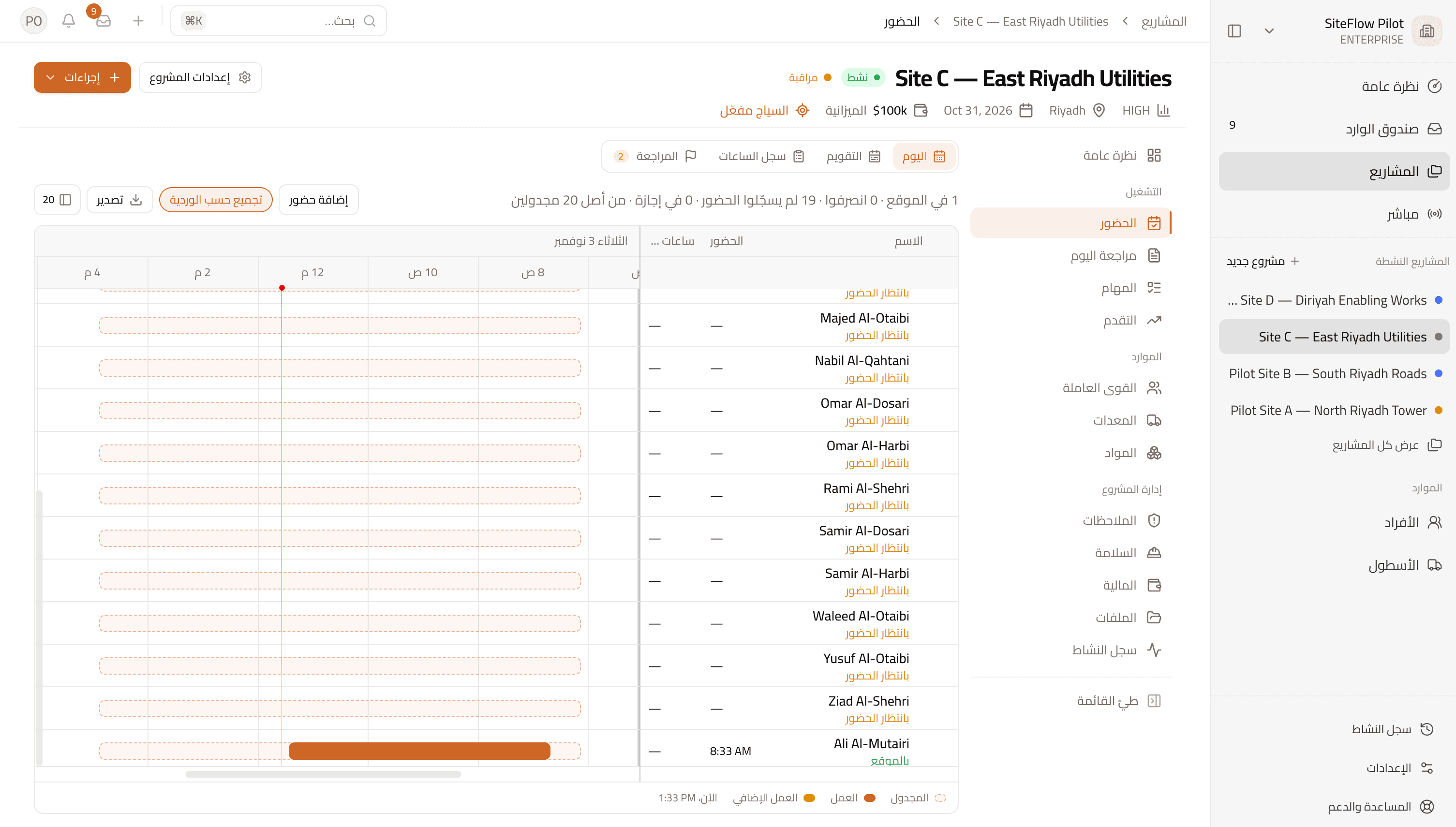
Crews check in inside the project geofence. SiteFlow matches each punch to the shift, shows every site live, and sends only the exceptions to review.
- Geofenced check-in from the site app
- Live view of who's in, out, or needs attention
- Clean days close themselves; exceptions reach a reviewer
What this replaces
- Morning headcounts arrive by WhatsApp, late, and nobody can check them.
- Night shifts split across two dates and the hours stop adding up.
- Reviewers read every record to find the few that matter.
How it works
What's included
Geofenced check-in
A punch counts when it comes from inside the project boundary.
Site Live
See who is on site, outside, or not in, with the reason someone needs attention.
Night shifts
A shift stays on the day it started, even when checkout falls after midnight.
Crew punch
Foremen record workers who have no login or phone.
Overrides and exemptions
Request a check-in exception, or authorize drivers to work off site.
Period close and export
Approve the period, lock it, and export hours to CSV for HR or payroll.
In the product
Who uses it
Site managers
See today's crew and act on what needs attention.
Supervisors
Punch their crew and handle exceptions on site.
HR and reviewers
Close the period from reviewed, locked records.
Good to know
- SiteFlow exports approved hours. It does not run payroll or price labour.
- Selfies are optional and stored for people to review. There is no face recognition.
- The company-wide map shows projects and counts, not individual workers.
- Trust signals flag suspect days for review. They don't change hours.
More from SiteFlow
- Kiosk & Printed PlatesAttendance for workers without a phone
- Safety & IssuesObservations, incidents and site issues through to closure
- Day Review & Site DiaryClose each day from recorded facts, then sign it
- Finance & ClaimsBudget, expenses, petty cash, contract and claims
- Equipment & FleetMachines, daily logs, maintenance and rentals
See your sites in SiteFlow.
Book a demo and we'll walk through how a day on your site becomes a record you can rely on.